Solutions
Three products. One platform.
SafeSite is for properties, SafeEvent for gatherings, and SafeCampus for schools. All three share the same alerting, SAFE and HELP replies, and reporting. What changes is who you’re keeping safe and how they sign up.
SafeSite
Workplaces, Properties & Buildings
SafeSite keeps a member list of everyone who belongs to each site — employees, contractors, and tenants — plus any visitors checked in at the time, and notifies every one of them by text and email the moment something happens. SAFE and HELP replies fill in as they arrive, so your team knows who is safe and who still needs someone.
See SafeSite

SafeEvent
Events & Organizations
Concerts, festivals, tournaments, camps, services, conferences: the crowd is different every time. With SafeEvent, staff, volunteers, vendors, and attendees self-enroll by QR code in under 30 seconds, and in an emergency you notify every one of them in seconds.
See SafeEventSafeCampus
Schools & Districts
SafeCampus gives private, charter, and independent schools instant notifications and accountability. Alert the whole school or only the groups affected, notify both parents or guardians of every student with their own message, and see delivery and replies broken out by staff, students, guardians, and visitors.
See SafeCampusVisitor Management · Add-on for SafeSite and SafeCampus
Know every visitor who’s checked in.
Turn it on for your whole organization or for individual schools. Each location gets a lobby kiosk and its own check-in and sign-out QR codes.
From arrival to sign-out.
- Before they arrive
- Optionally, visitors can pre-register on their phone up to three days ahead. Nothing is sent and they aren’t included in alerts until they arrive and confirm at the lobby tablet, so a host is never told a visitor is here when they are not.
- Checking in
- At the lobby tablet or by QR code, visitors enter their name, phone, and email and accept your terms and SMS alerts. Returning visitors only need their phone number and last name. They pick who they are visiting from a searchable list of your people.
- Host notified
- The host gets a text and email right away: “Your visitor has arrived. Priya Nair (Acme Corp) is here to see you at Corporate HQ.” If you take visitor photos, the email includes one so the host knows who to look for.
- Photo and badge
- Optional org settings. The kiosk can take a visitor photo (deleted automatically after 30 days, or sooner on request) and print a badge with their name, host, date, and a QR code to sign out. Badges print on a label printer or plain letter paper.
- During an emergency
- Anyone still checked in gets the same alert as your staff and can reply SAFE or HELP, and they get the All Clear too. The Visitors page doubles as a roll call, with a printable list of everyone checked in.
- Signing out
- They scan the QR code on their badge, scan the sign-out poster, or tap Sign Out on the tablet. Alerts stop right away. Anyone who forgets is signed out automatically after 12 hours.
Every checked-in visitor, on one page.
The Visitors page shows today’s visitors by default, with who they’re visiting and a status for each: Expected, Active, Signed out, or Expired. Filter by date and status, sign someone out, reprint a badge, or print the checked-in list for a roll call.
The lobby kiosk.
Any tablet becomes a check-in kiosk for one location. Start it from the site or school page, and it stays on that location, ready for the next visitor, until staff exit it.
Check in and sign out
Visitors enter their name, phone, and who they’re visiting. Returning visitors only need their phone number and last name.
Badges
Prints a badge with the visitor’s name, host, date, and a sign-out QR code, on a label printer or plain letter paper.
Visitor photos, if you want them
The tablet camera takes a photo at check-in. Photos are deleted automatically after 30 days.
Stays on its location
Visitors can only check in and sign out. Staff exit with their PIN, and an administrator can remove a kiosk from the site page.
HELP locations
When someone needs help, your team can find them.
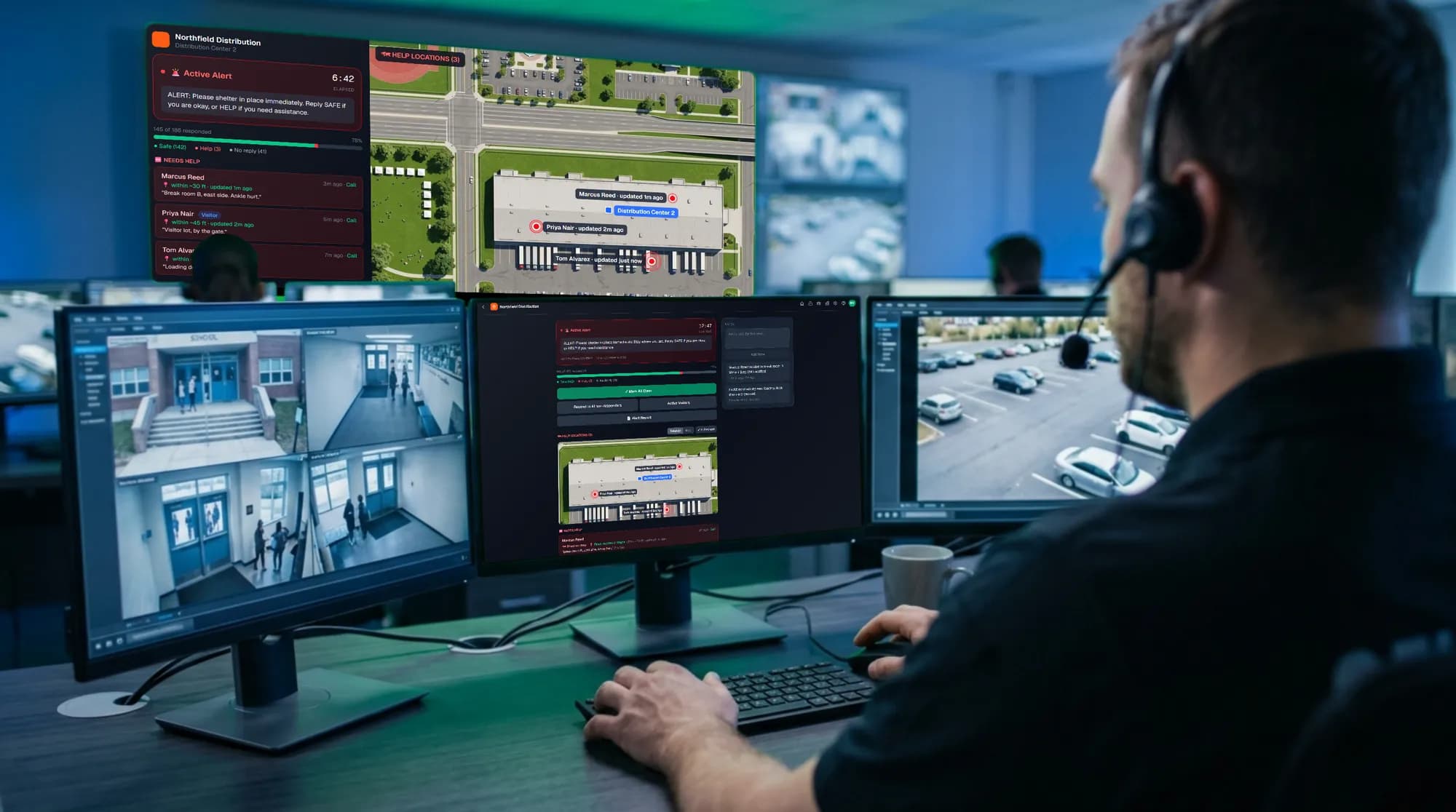
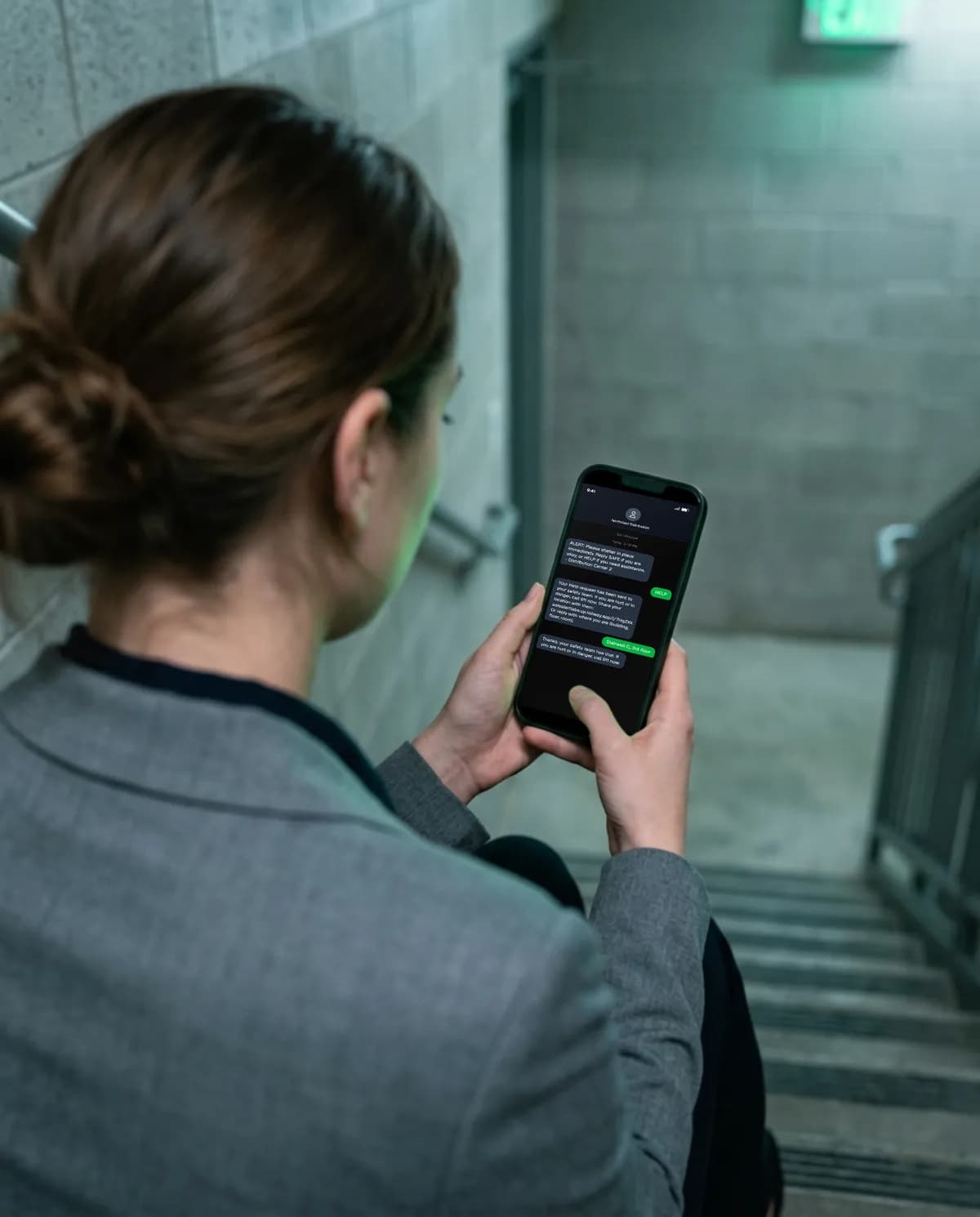
Anyone who replies HELP is told to call 911 if they’re hurt or in danger, and gets a private link to share their location. Their pin stays on a satellite map of your site until they reply SAFE. They can also text where they are.
Waiting for replies…
Weather
Hear about the weather before it hits.
SafeAlert watches the National Weather Service for every site, school, and event. When a watch or warning covers one of your locations, your team hears about it right away, with a message for everyone already written.
- What’s covered
- Every National Weather Service watch and warning in the US, from tornadoes and severe storms to floods, high wind, heat, and winter storms, for each site, school, and event (on the days it runs).
- How precise
- Checked every 2 minutes against each location’s spot on the map. Storm warnings count only when your location is inside the area the Weather Service outlined.
- Who hears first
- The location’s contact gets a text. The contact and your managers get an email and a push notification, and a banner appears on the dashboard and the location’s page.
- One tap to tell everyone
- Message everyone opens Message All with a suggested message, like “Tornado Warning for our area until 3:45 PM. Move now to an interior room…”. Edit it and send, or dismiss it. Nothing goes out unless you send it.
- A record of it
- Each location’s Weather tab and Reports → Weather show every watch and warning, who dismissed it, and who messaged everyone about it.
Incident reports
See something, say something, by text.
The number people get alerts from also takes reports. Anyone signed up for alerts can text in what they saw, at any time, on every product.
- Who can report
- Anyone signed up at a site, school, or event, by texting the same number their alerts come from. No active alert is needed.
- What they get back
- An automatic reply from your organization confirming the report was received.
- Who is notified
- Every admin and member account on your organization, by text, email, and push notification, with the reporter’s name, number, where they’re enrolled, and the full message.
- Repeat texts
- Several texts in a row from the same person are all logged, without notifying your whole team again for each one.
- Following up
- Reply to the reporter by text from the report, log what security did, and mark it resolved. Open reports show as a badge across the app.
Included with every product.
Every organization gets the whole platform, whichever product it runs.
- QR code self-enrollment
- Emergency SMS and email alerts
- Real-time SAFE / HELP response tracking
- HELP location sharing on a satellite map
- National Weather Service watches and warnings, with a message ready to send
- Emergency contact filing
- Non-emergency broadcast messaging
- Inbound incident reports (See Something, Say Something)
- CSV member import & export
- Organization branding (logo, display name)
- Multi-admin and member access control
- Full alert and message history
- Nothing for members to install: alerts arrive by text and email
- Admins work from any phone, tablet, or computer, and can add it to their home screen
- Printable QR posters
- Idle session security
Not sure which one fits?
Tell us about your properties, events, or schools and we’ll point you to the right product, or a mix of them.