SolutionsSafeSite
Everyone on the property, accounted for in minutes.
SafeSite keeps a member list of everyone who belongs to each site — employees, contractors, and tenants — plus any visitors checked in at the time, and notifies every one of them by text and email the moment something happens. SAFE and HELP replies fill in as they arrive, so your team knows who is safe and who still needs someone.


Used at corporate offices, multi-tenant buildings, construction sites, warehouses and distribution centers, manufacturing plants, hospitals and clinics, hotels and resorts, oil and gas, agriculture, airports and logistics, dealerships, and film and TV production.
Alert the whole site from your phone.
Pick a template or write your own message, confirm the action, and notify every member, plus every visitor still checked in if you use Visitor Management. Optionally loop in emergency contacts with a message that names their person.
- Shelter in place, evacuate, meet up, and safety-check templates
- Exact-text preview
- Checked-in visitors are included automatically with Visitor Management
- Emergency contacts get "Alert for [name] at [site]"
The alert lands on their phone, ready to answer.
Everyone gets the alert as a plain text and an email at the same time. They answer SAFE or HELP right in the thread. A HELP reply tells them to call 911 if they are hurt or in danger, and sends a link to share their location with your team.
- No app to install and nothing to sign in to
- SAFE and HELP replies from the same text thread
- HELP replies can share their location and say where they are

Watch the responses come in, person by person.
Replies land on the live alert page the moment they arrive. A HELP reply pins to the top with action buttons, alerts the admin who sent the alert, and pushes to every manager on the site.
- Safe, help, and no-reply counts with elapsed time and first response
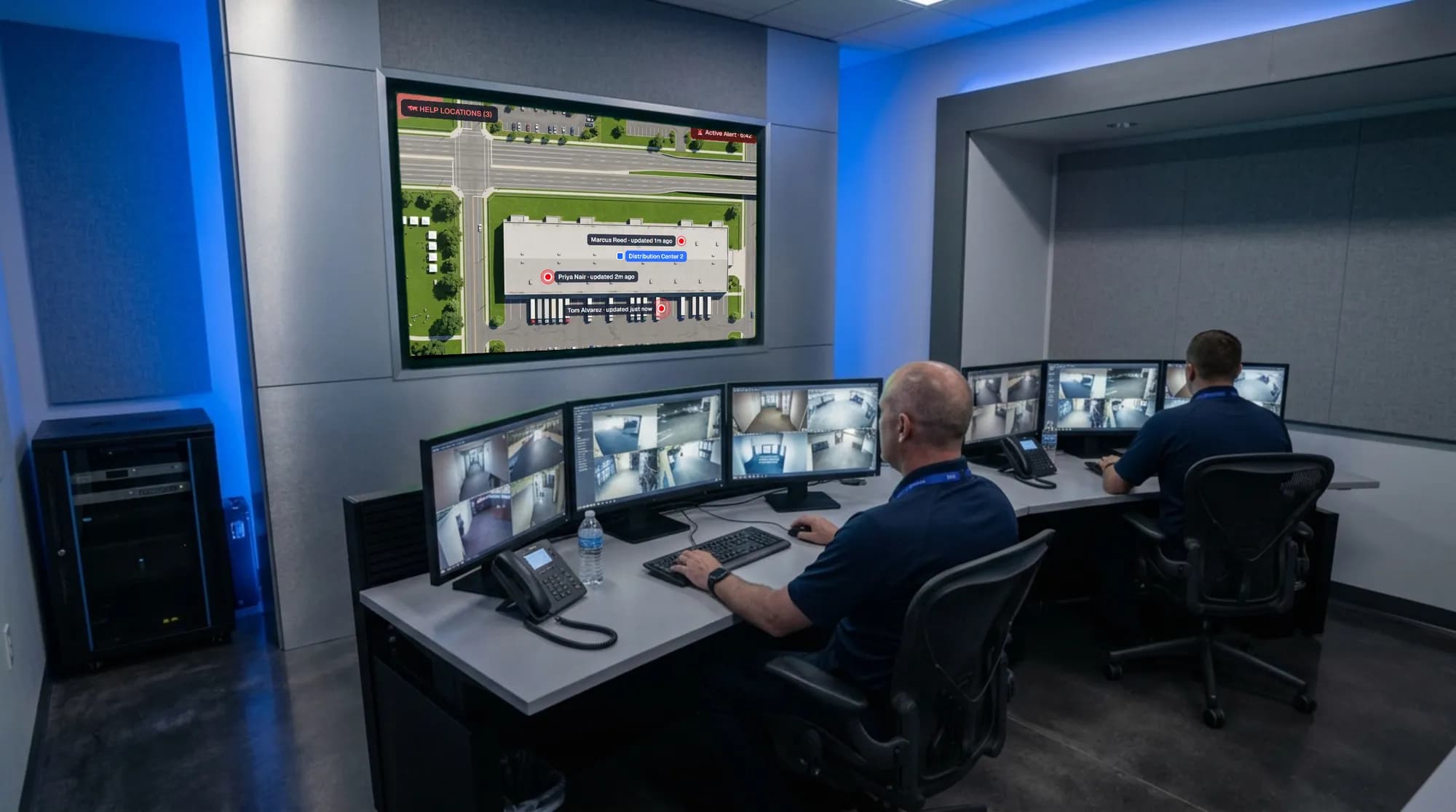
- HELP locations pinned on a satellite map of the site
- Resend to non-responders in one step
- Shared notes so every user sees what is being done
- Mark All Clear and notify everyone by text and email
See exactly where people need help.
Anyone who replies HELP is told to call 911 if they are hurt or in danger and gets a private link to share their location. Their pin drops on a satellite map of the site, next to your building, with how accurate it is.
- Pins stay on the map until the person replies SAFE
- Notes about where they are show under their name
- Drag your site’s own pin onto the right building in Edit
Waiting for replies…
Every person on site becomes a sensor.
Anyone enrolled can text the system about something they saw, any time. Managers are notified right away, can reply by text, and log what measures were taken.
- Text, email, and push notifications to your admins the moment a report arrives
- Reply to the reporter by text, straight from the dashboard
- A running log of what was done, then mark it resolved
- Open reports show across the app
Know who is visiting, and who they came to see.
With the Visitor Management add-on, visitors check in at a locked lobby kiosk or by QR code and pick their host from a searchable list. The host gets a “your visitor has arrived” text and email, and anyone still checked in gets the same alerts as your staff.
- Returning visitors check in with just their phone number and last name
- Optional pre-registration, visitor photos, and printed badges
- Visitors page with Expected, Active, and Signed out statuses, and a printable list of who’s checked in
- Lobby kiosk runs on any tablet; visitors can only check in and sign out
- Signed-out and expired visitors stop receiving alerts
A record that holds up afterward.
Every send, opt-in change, and member update is logged with who did it and when. Export any report to CSV, print an alert report with staff notes, or stream alerts into your own systems.
- Audit logs by category, filterable by site and date
- Printable alert reports, including notes
- Signed webhooks for alerts
- Integrator portal for partners managing many customers
How it compares
The questions we get asked.
Security and safety teams put the same list to every mass notification provider. Here’s how SafeSite answers it.
- Two-way response
- People reply SAFE or HELP by text, or tap a link in the email. Every reply is tallied live, person by person.
- Channels
- SMS and email to every recipient. Your admins also get push notifications for HELP replies and incident reports.
- Who gets the alert
- Everyone on a site at once: members, checked-in visitors if you use Visitor Management, and optionally their emergency contacts. Each site keeps its own members.
- Time to send
- Choose a template, confirm sending.
- Delivery confirmation
- Delivered status for each person, and a one-step resend to anyone who hasn’t answered.
- Escalation
- A HELP reply texts the admin who sent the alert and pushes and emails every manager, including a HELP that comes in after All Clear.
- Location on HELP
- Anyone who replies HELP is told to call 911 if they’re hurt or in danger, and gets a private link to share their phone’s location. It shows as a pin, with how accurate it is, on a satellite map of your location, and stays until they reply SAFE. They can also text where they are, like a building and floor.
- Getting people enrolled
- No app. People join by QR code or URL link in under a minute and verify their number with a text-message code. CSV import for member lists you already have.
- Records and audit
- A permanent log of every send, audit logs for opt-in changes, deletions, and uploads, CSV export, and printable alert reports with notes.
- Weather
- National Weather Service watches and warnings for every location, checked every 2 minutes. Your contact gets a text and your managers an email and push, with a message to everyone already written. Nothing goes out unless you send it.
- Integrations
- Signed webhooks for alerts, with automatic retry built in.
- Consent and compliance
- Explicit SMS consent at sign-up, a welcome text with opt-out instructions, and STOP handled automatically. Admin sessions sign out when idle.
Running more than one kind of place?
The other two products work the same way, with their own people and sign-ups.
SafeEvent
Self-enrollment in seconds for gatherings where the crowd changes every time — churches, camps, sports leagues, and concerts.
See SafeEventSafeCampus
Staff, students, and guardians in one list, with alerts that can target a single homeroom or the whole school.
See SafeCampusWalk through SafeSite with us.
We’ll take your team through an alert, from sending it to closing it out.